


In 2023, a software engineer used an AI auto-apply bot to send 5,000 job applications and landed 20 interviews — the same number he'd gotten from 300 manual applications in the months before.
Twenty interviews. Four offers. A 0.4% conversion rate that would have been higher if he'd applied manually to 50 companies and customized each one.
That story captures everything about AI job search tools in 2026: they can save you enormous amounts of time, and they can waste enormous amounts of time, depending entirely on which ones you pick and how you use them.
65% of job candidates now use AI somewhere in their application process. The ones who use it well — strategic tailoring, smart autofill, ATS-optimized resumes — achieve 2.5x higher interview rates than those who spray-and-pray.
This guide breaks down the tools that actually matter for new grads and early-career job seekers, with verified 2026 pricing, honest pros and cons, and the specific workflow that turns AI from a time-sink into a competitive edge.
Quick Takeaways
65% of job seekers now use AI in their application process (Canva/Career Group 2025)
AI-tailored applications produce 2.5x higher interview rates than untailored mass applications
Auto-apply bots risk LinkedIn account bans; autofill tools, where you click Submit do not
The best free AI job search stack: Zapply or Simplify (autofill) + Teal (resume) + Welcome to the Jungle (matching)
Most early-career applicants can run a complete AI-powered job search for free
What are AI job search tools, and how do they work?
AI job search tools are software that uses natural language processing, large language models, and browser automation to handle the parts of a job search that humans do badly or slowly. They fall into a few broad categories: job matching engines, resume builders and ATS optimizers, autofill and auto-apply extensions, cover letter generators, interview prep platforms, and application trackers.
The main categories
Job matching engines have moved from keyword search to embedding-based retrieval. Both your profile and a job posting get converted to dense vectors, and a language model ranks the closest matches.
LinkedIn's 2025 architecture overhaul, which adopted this approach, cut its "Poor Match Rate" by 46.88%.
Resume optimizers work by reverse-engineering how ATS platforms parse PDFs. Modern parsers like Workday, Greenhouse, and Lever hit roughly 87% field-level accuracy compared with 96% for human reviewers, and an estimated 23% of early rejections are due to parsing errors rather than candidate fit.
Single-column resumes with clear section headers achieve about 94% parse fidelity versus 71% for two-column designs.
Autofill extensions scrape the form fields on an application page, identify labels with an LLM, and map them to your stored profile data. You still click Submit yourself. Auto-apply bots go further and submit without your review, which is where the risk starts.
Cover letter generators, interview prep platforms, and application trackers round out the landscape. Each has its place, but none moves the needle as much as getting your resume past the parser and applying at volume.
The limitations are equally concrete
LLMs hallucinate. Jobright has been caught inserting skills users don't actually have into tailored resumes
Auto-apply bots risk your accounts. Mass auto-apply tools violate LinkedIn's User Agreement Section 8.2, and LinkedIn permanently banned Apollo.io and Seamless.ai for automation in March 2025
Hiring managers are catching on. Roughly 33.5% of hiring managers say they can spot an AI-written resume in under 20 seconds. Major ATS platforms don't automatically reject them, but a recruiter who notices might
The 9 best AI job search tools for 2026
Here's a roundup of the tools that matter most for early-career job seekers. Pricing was verified from official sources in May 2026. Pros and cons are real. Space is left for screenshots where your team wants to add them.
Quick comparison
| Tool | Free tier | Paid (monthly) | Chrome rating | Auto-apply? | Best for |
|---|---|---|---|---|---|
| Zapply | Yes, fully free | None | 4.8/5 | Autofill only | New grads, interns, H-1B |
| Simplify | Yes, strong | $39.99 | 4.87/5 | Autofill only | High-volume free autofill |
| Jobright | Yes, limited | $39.99 | 4.6/5 | Beta | AI matching + networking |
| Teal | Yes, strong | $29 | 4.9/5 | No | Resume builder + tracker |
| LazyApply | No | ~$8–83 | 2.9/5 | Full bot | Volume-at-risk only |
| Sonara | $2.95 trial | ~$24/4wk | N/A | Semi-auto | Cheapest annual |
| Massive | Trial only | ~$59 | N/A | Full | Mid-senior tech |
| LoopCV | Yes, 10/mo | €9.99+ | N/A | Multi-channel | EU budget seekers |
| Welcome to the Jungle | Yes, fully free | None | N/A | No | Filtered tech roles |
1. Zapply — best free autofill for new grads and interns
Pricing: 100% free. No premium tier.
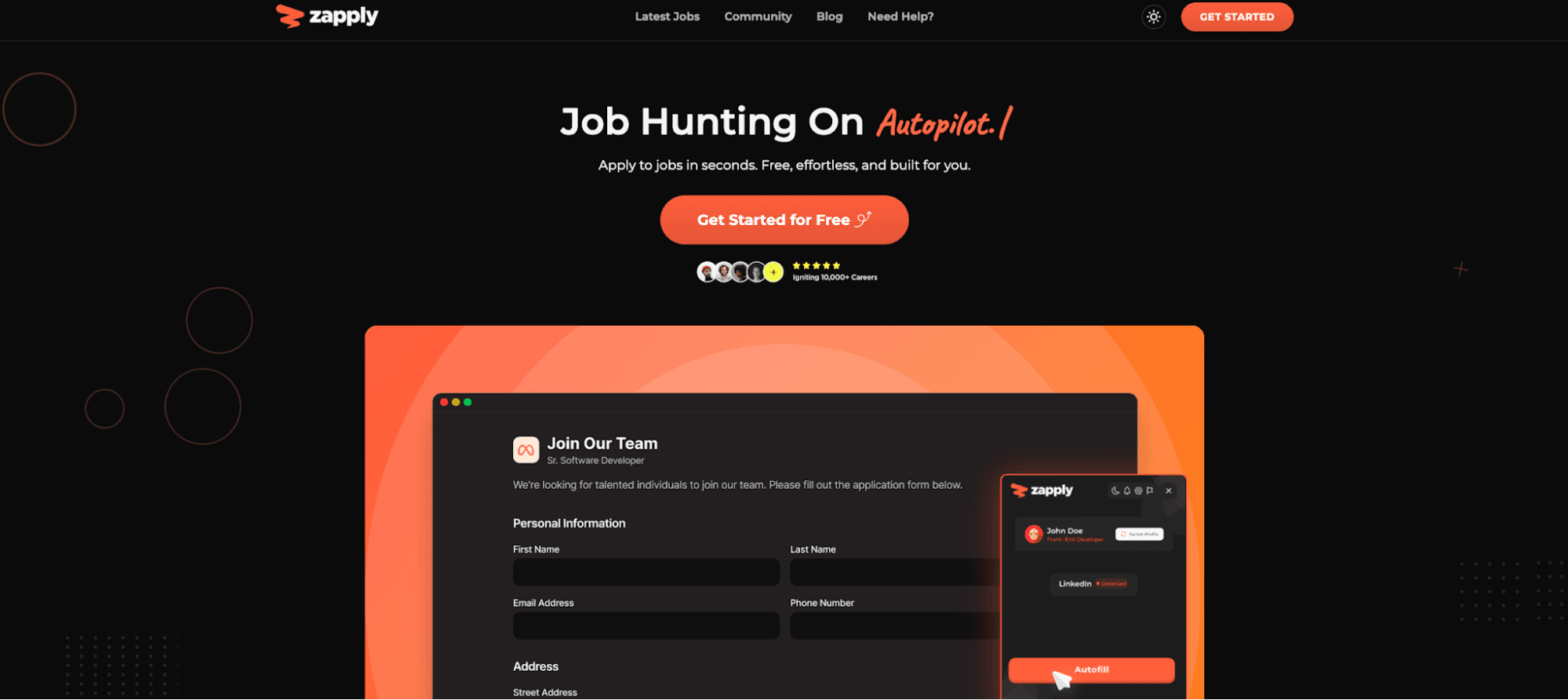
Zapply is a free Chrome extension built specifically for new grads, interns, and early-career applicants. The extension does one-click autofill across Workday, Greenhouse, Lever, and most major ATS platforms, with smart field detection that handles dropdowns and custom questions.
You can maintain multiple role-specific profiles (one for engineering, one for product, for example) with different resumes and default answers.
The filtered job board refreshes daily with entry-level and internship roles, includes an H-1B sponsorship filter, and cuts out the senior-level noise that clutters Indeed and LinkedIn.
Pros: Genuinely free with no paywalled features. The multiple-profile feature is unusual among free tools. The filtered board saves real time if you're targeting new-grad roles at name-brand companies.
Cons: Smaller install base than Simplify (~165 users, 4.8/5 on Chrome Web Store), so edge-case ATS coverage is thinner. No AI resume tailoring or ATS keyword scoring — Zapply is an autofill and discovery tool, not a resume builder.
Best for: New grads, interns, and H-1B candidates who want a free autofill extension plus a filtered board without paying for AI resume features they can get elsewhere.
2. Simplify — best free autofill at scale
Pricing: Free tier (unlimited autofill, tracking, basic AI suggestions). Simplify+ runs $39.99/month with no free trial. That's a lot to commit to without testing.
How to Use Simplify Jobs (Updated)
Simplify is the category leader for free autofill, with a 4.87/5 Chrome Web Store rating from 3,508 ratings and over 1 million users. The Copilot extension works across 100+ ATS platforms and pulls from 20,000+ company career sites.
The free tier includes unlimited autofill, application tracking, and resume keyword matching. Simplify+ unlocks AI resume optimization, cover letter generation, and an AI response writer for open-ended questions.
Pros: Broadest ATS coverage of any tool reviewed. Massive install base means edge cases get fixed fast. The free tier is genuinely strong — most users don't need Simplify+.
Cons: Simplify+ billing complaints dominate Trustpilot (3.0/5 overall). The privacy policy hasn't been updated since June 2021, which isn't great for a browser extension with broad page permissions. And calling it "auto-apply" is a stretch: you still click Submit.
Best for: High-volume applicants who want the gold-standard free autofill. Skip the paid tier and pair with a separate resume tool.
3. Jobright.ai — best AI job matching, with caveats
Pricing: Free tier (limited daily credits). Jobright Turbo runs $39.99/month, $17.99/week, or $89.99/quarter, raised roughly 33% from $29.99/month in early 2026.
Jobright: Your AI Job Search Copilot - More Interviews, Less Effort
Jobright is a US-focused AI job search copilot with a strong matching engine (8M+ listings indexed), a six-second per-job resume tailoring feature, an autofill Chrome extension (4.6/5, 100,000+ users), and "Insider Connections" that surface LinkedIn alumni and hiring managers at your target companies with email templates.
Trustpilot averages 4.8/5 across 1,396+ reviews, though about 14% are one-star reviews concentrated on billing.
Pros: Strongest AI job matching in this roundup. The Insider Connections feature for networking is genuinely differentiated. THE H-1B filter works well.
Cons: Multiple Reddit threads report resume hallucinations where the AI inserts skills users don't have. Billing and cancellation friction is the dominant negative theme. The "90% auto-apply" feature is in limited beta with mixed access.
Best for: US-based active applicants sending 20+ applications per week who want AI-matched roles and referral pathways. Check every AI-generated bullet before submitting.
4. Teal — best AI resume builder and tracker
Pricing: Free forever tier (unlimited resumes, unlimited tracking, limited AI credits). Teal+ runs $13/week, $29/month, or $79/quarter.
The TEAL Method: How to Tailor Your Resume (& Get the Job You Want)
Teal is the resume builder of choice for organized job seekers.
The Chrome extension (4.9/5, 200,000+ users) one-click bookmarks jobs from 40+ boards, including LinkedIn, Indeed, and Glassdoor.
The platform combines a resume builder with side-by-side job description matching, a Match Score percentage, a kanban-style application tracker, and AI bullet point rewrites. Teal does not auto-apply or autofill. It's a preparation and tracking tool.
Pros: Best Chrome extension for one-click job saving. The free tier is genuinely usable with unlimited resumes and tracking. Strong at managing 10–50 targeted applications per week.
Cons: No autofill or submission capability. Weekly billing ($13/week annualized = $676/year) is steep with no annual discount. AI content can be generic without heavy editing.
Best for: Methodical applicants who want ATS-optimized resumes plus a tracker dashboard. Pair with Zapply or Simplify for the autofill step.
5. LazyApply — highest volume, highest risk
Pricing: $99/year Basic (15 apps/day), $149/year Premium (150/day), $999/year Ultimate (1,500/day). No free trial.
Lazyapply | Indeed Automation | Linkedin Job Automation | Job application Automation in 2023
LazyApply is the highest-volume auto-apply tool in the category and the most controversial. It fires applications in batch sessions across LinkedIn Easy Apply, Indeed, ZipRecruiter, Glassdoor, Greenhouse, Lever, and Workday.
Chrome Web Store rating: 2.9/5 from 174 ratings. Trustpilot: 2.1/5 with 52% one-star reviews. Business Insider testing produced a 6% response rate on 126 applications.
Pros: Lowest per-application cost in the category. Broadest job-board coverage from a single extension.
Cons: High risk of LinkedIn account bans (LinkedIn's ToS §8.2 explicitly prohibits automation). Interview rates of 0.4–6% in independent testing. Refund complaints are widespread. LazyApply recently renamed its Trustpilot page to the parent company "PEVE VISIONS", which looks like review laundering.
Best for: Volume-maximalists targeting Indeed roles who accept account-ban risk. Most early-career job seekers should pass.
6. Sonara — cheapest annual auto-apply
Pricing: $2.95 trial that auto-renews to $23.95 every 4 weeks. Annual: ~$71.40 upfront.
Sonara, shut down in February 2024, was acquired by BOLD LLC (parent of LiveCareer, Zety, My Perfect Resume) and relaunched.
The platform offers AI job matching, a semi-automated "ExpertApply" flow, and application tracking. Trustpilot sits around 4.1/5 post-relaunch.
Pros: Cheapest annual price in the auto-apply category at ~$71/year. Clean UI. BOLD LLC backing adds stability.
Cons: Users report a 25–40% application failure rate on email verification and 2FA flows. Job matching is widely criticized as off-target. The $2.95 trial auto-renewing to $23.95 every four weeks has produced documented surprise charges.
Best for: US-based high-volume applicants for standardized roles (sales, retail, support) who want the cheapest annual auto-apply.
7. Massive — auto-apply for mid-senior tech
Pricing: Short trial (4–7 days), ~$59/month Pro, higher Ultra tier. Exact pricing behind signup.
Massive Review – Legit Job Application or Scam?
Massive is a web and iOS app focused on mid-to-senior tech professionals. Features include per-job custom resume and cover letter generation, hiring-team messages (Ultra tier), a visa-sponsorship filter, and a dedicated inbox for interview emails. Note: usemassive.com is the job tool; joinmassive.com is an unrelated company. Trustpilot: 2.1–2.3/5 with billing and duplicate-application complaints.
Pros: Strong tech dataset. Per-job custom applications beat most auto-apply tools' generic submissions, and the founder actively responds on Trustpilot.
Cons: No genuine free tier. Reports of applications queued during the trial but not submitted until paid conversion. Billing complaints dominate reviews.
Best for: Mid-to-senior tech professionals with a budget for $50–60/month. Less suited to most new grads.
8. LoopCV — most flexible EU-friendly auto-apply
Pricing: Free forever tier (10 applications/month, 1 loop, no credit card). Paid plans from €9.99/month. Student discount available. Lifetime deals occasionally surface at ~$39.
LoopCV is a Greece-based platform with the most varied application methods among this roundup's platforms. It runs parallel "loops" and applies via three channels: direct ATS submission, a Chrome extension for sites requiring login (LinkedIn, Indeed, Dice, StepStone), and templated email outreach. Trustpilot: 4.0/5 from ~125 reviews.
Pros: Rare genuine free-forever tier with no credit card. Multi-channel application methods give broader coverage than pure form-fillers. Mature AI feature set (mock interview, career coach).
Cons: Email outreach to generic addresses can hurt your professional reputation. Chrome extension reliability is mixed (one user reported 690 matches, but only 100 submitted). Product Hunt rating around 2.0/5.
Best for: Budget-conscious applicants, especially EU-based, who are comfortable carefully curating loops.
9. Welcome to the Jungle (formerly Otta) — best editorially vetted tech matching, free
Pricing: 100% free for job seekers.
Discover Welcome to the Jungle's offer!
Otta was acquired by French recruitment platform Welcome to the Jungle in January 2024 and fully rebranded.
The platform combines AI matching with editorially vetted employer profiles featuring video and culture content for 6,000–7,000+ companies across the UK, US, France, Spain, and the Czech Republic. Your profile auto-hides from your current employer. App Store: 4.6/5. Google Play: 3.7/5.
Pros: Free with no spam or scam postings because every employer is vetted. Best company-research content for vetting employers before applying. Strong matching for tech and startup roles.
Cons: Tinder-style browsing surfaces only ~10 jobs at a time. Post-rebrand salary data has reportedly thinned. Employer-paid content can gloss over reality, so pair it with Glassdoor.
Best for: Tech and startup-focused early-career applicants in the UK, US, or EU who prioritize editorial quality over auto-apply volume.
How to use AI job search tools effectively

AI multiplies whatever strategy you bring to it, including a bad one
The applicants converting at 2.5x and the ones converting at 0.4% are often using the same tools. The difference is the five principles below.
Use AI as your editor, not your ghostwriter
Generate a first draft, then rewrite at least one paragraph in your own voice. Add a specific anecdote that mentions a real product or person at the company. Vary your sentence length deliberately.
The single most common AI tell that recruiters identify is generic phrasing: "Company's mission of [X] resonates with me" gets flagged every time. So does "spearheaded" in every bullet. So does every cover letter starting with "I am writing to express my interest."
Tailor what matters, autofill the rest
Your top 10 target companies deserve manual, customized applications with per-job resume adjustments and a tailored cover letter. The next 50 deserve autofill with a pre-optimized resume.
Everything beyond that can go through bulk tools, if at all. Most early-career applicants should aim for 15–25 thoughtful applications per week, not 500.
Never automate the human parts
Networking conversations, referral requests, live interviews, and salary negotiation all benefit from AI prep but need human judgment in the moment.
HBR's November 2025 piece documents hiring managers spotting candidates using ChatGPT live during video interviews — polished answers, suspicious pauses, eyes drifting off-camera. Practice with interview prep tools. Show up to the interview without the crutch.
Optimize for parsing before keywords
Roughly 23% of early-stage rejections trace to parsing errors, not content. A single-column resume with clear section headers achieves about 94% parse fidelity versus 71% for two-column designs.
Run your resume through Teal's match score or Jobscan before adding keywords. If the parser can't read the document, keyword density won't save it.
Watch for the billing traps
Sonara's $2.95 trial auto-renews to $23.95 every four weeks. Jobright raised prices 33% without adding features. LazyApply renamed its Trustpilot page. Read the cancellation flow before subscribing, and prefer tools with documented refund policies.
The free tier stack (Zapply + Teal + Welcome to the Jungle) handles everything most new grads need.
How to use Zapply for your AI job search
Zapply works best as one piece of a deliberate workflow, not as a one-click magic button. Here's the approach that gets the most out of it.
Step 1: Set up two profiles
Create one for each role type you're targeting (SWE and data science, or product and marketing).
Each profile gets its own resume, default answers to common screening questions, and links. This saves real time when you switch between role categories during a single application session.
Step 2: Build your resume elsewhere first
Zapply autofills forms but doesn't tailor resumes per job. Use Teal's free tier or Jobscan's free scans to build an ATS-clean version with a match score above 70%, then upload it to each Zapply profile.
Step 3: Browse the filtered board for fit
The Zapply job board refreshes daily with new-grad and internship roles. Use the H-1B filter if relevant. Save 20–30 roles per session and apply within 48 hours of posting. Response rates on jobs older than a week drop sharply.
Step 4: Autofill, then review every screen
Zapply's autofill handles Workday, Greenhouse, Lever, and most major ATS forms, including dropdowns and custom questions. But it can't judge whether your answer to "Why this company?" is good. Always read the final review screen before clicking Submit.
Step 5: Track and iterate
Use the built-in application tracker and streaks to maintain consistent weekly volume. Target 15–25 applications per week. Review your interview-conversion ratio every two weeks. If you're below 5%, your resume needs work — go back to Step 2 before sending more.
Frequently asked questions about AI job search tools
Are AI job search tools actually worth it?
For most early-career job seekers, yes — if you use them for resume optimization, autofill, and interview prep rather than mass auto-apply.
Canva's 2025 survey found 96% of candidates using AI in application materials landed interviews, and CoverSentry's meta-analysis shows AI users complete 41% more applications than non-users. The catch: benefits don't come from raw volume.
They concentrate on targeted tailoring, not raw volume.
What is the best free AI job search tool?
Stack free tiers rather than looking for one tool that does everything.
For autofill: Zapply (filtered new-grad board) or Simplify (broadest ATS coverage). For resume building and tracking: Teal's free tier.
For job matching: Welcome to the Jungle (fully free) or Jobright's free tier. Most early-career applicants don't need to spend a dollar. The free tier stack handles it.
Can employers tell if I used AI to apply?
Often yes, but not perfectly.
A survey of hiring managers found 33.5% can spot an AI resume in under 20 seconds, and Insight Global's 2025 study found 88% say they can tell when candidates use AI.
Detection relies on style patterns (generic phrasing, repeated "spearheaded," formulaic openings), not automated detection software. Edited AI output that includes specific company details and your own voice is much harder to spot.
Will auto-apply tools get my account banned?
On LinkedIn, the risk is real.
LinkedIn's User Agreement Section 8.2 explicitly prohibits automation, and LinkedIn permanently banned Apollo.io and Seamless.ai in March 2025.
LazyApply users routinely report account restrictions. On Indeed and ZipRecruiter, the risk is lower, but applications are often obviously automated, which hurts response rates.
Autofill tools where you click Submit yourself (Zapply, Simplify) do not trigger this because they're not bots. They fill the form; you decide whether to submit. That's the key difference.
How much do AI job search tools cost?
Free to about $100/month, but most new grads don't need to spend anything. Zapply, Simplify's free tier, Teal's free tier, and Welcome to the Jungle cost zero. Mid-tier paid plans run $29–$40/month (Teal+, Jobright Turbo, Simplify+).
High-volume auto-apply runs $99–$999/year (LazyApply tiers). The best free AI job search stack covers autofill, resume optimization, job discovery, and tracking without paying for a single subscription.
Can AI write my resume?
Yes, and the output is usable as a first draft — but 72% of users perform moderate-to-heavy editing on it.
ResumeBuilder's 2024 survey found 70% of users rate AI-produced resumes as "high quality." The problem is that unedited AI resumes are the single most-flagged issue by hiring managers.
Use AI to draft bullet points and optimize for ATS keywords, then edit heavily to add real metrics, specific project details, and your own voice.
What is the best AI tool for a LinkedIn job search?
LinkedIn's own AI matching improved 46.88% in 2025, but Easy Apply response rates still run just 1–3%.
The best use of LinkedIn for a job search isn't applying through it. It's using alumni search (filter "People → Your School → [Company Name]") and sending personalized messages. Alumni reply rates run around 60% versus 3–10% for strangers. Use LinkedIn for networking. Use Zapply or Simplify for applying.
The bottom line
The AI job search tools that matter in 2026 aren't the ones with the biggest marketing budgets or the boldest auto-apply promises. They're the ones that compress the repetitive parts — parsing, tailoring, filling forms, tracking applications, so you spend more time on the parts AI can't do: networking, interview prep, and choosing the right offer.
For most early-career applicants, the play is stacking three or four free tools rather than paying for one that promises to do everything. Zapply or Simplify for autofill, Teal for resume building and tracking, Welcome to the Jungle or Jobright for discovery, and your own judgment for everything that matters.
The job seekers winning in 2026 are running a deliberate process at moderate volume. Not a bot at maximum volume. Pick your stack, tailor what matters, and let AI handle the rest.